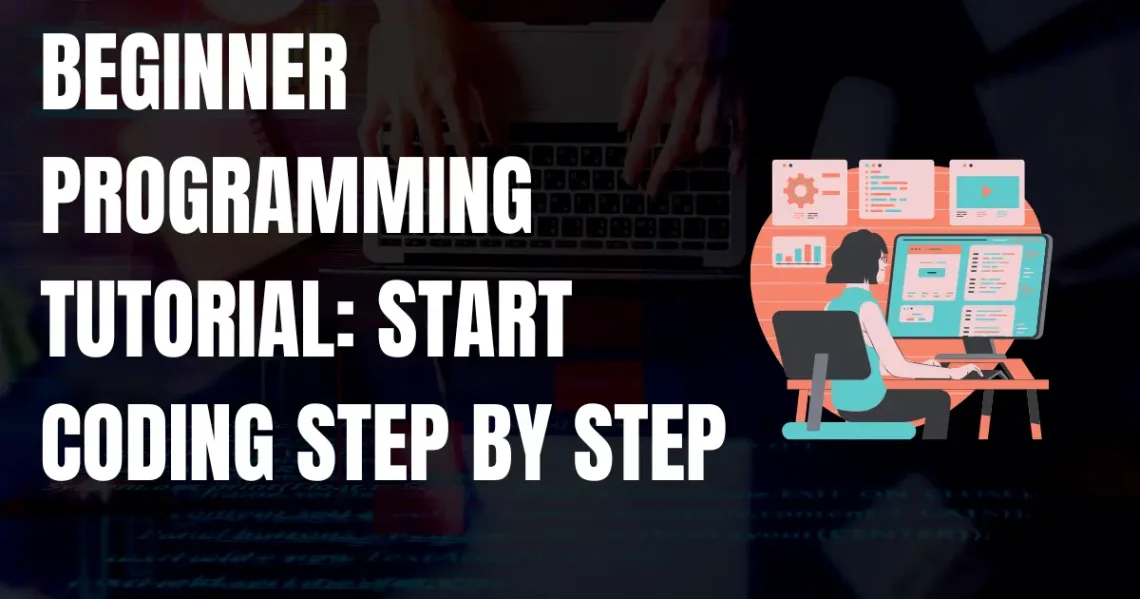

Introduction to Beginner Programming Tutorial
Starting your journey into programming can feel a little overwhelming, almost like standing at the edge of a new world and wondering where to step first. That’s exactly why beginner programming tutorials exist—to guide you gently into coding without leaving you lost in technical jargon. The truth is, you don’t need to be a genius or have years of mathematical training to get started. What you really need is curiosity, patience, and the willingness to practice small steps consistently.
Programming today isn’t just for software engineers; it’s for anyone who wants to solve problems, create digital tools, or simply understand how the technology around us works. Maybe you’re a student who wants an extra edge in studies, a career changer hoping to step into the tech industry, or even just someone who enjoys puzzles and creative problem-solving. A beginner-friendly tutorial will give you the basics in a way that feels approachable and less intimidating.
Think of it like learning a new language. At first, the words and symbols don’t make sense. But slowly, once you learn the basics—like how to say “hello” or “how are you”—you start piecing things together. Programming follows the same path. The very first “Hello, World!” program you write may seem tiny, but it’s the doorway to endless possibilities—building apps, games, websites, or even automating little tasks in your daily life.
So, this tutorial isn’t about rushing through everything at once. It’s about laying a solid foundation, step by step, and helping you build the confidence to continue on your own. By the end, you’ll not only know how to write your first program but also feel ready to explore deeper.
Choosing the Right Programming Language
When you’re just starting out, one of the biggest questions you’ll probably face is: which programming language should I learn first? It’s a fair question, because there are dozens of languages out there, each with its own style, strengths, and quirks. The truth is, there isn’t a single “perfect” language for beginners, but some are much easier to pick up than others.
Take Python, for example. It’s widely considered one of the most beginner-friendly languages because the syntax (the way you write it) feels almost like English. You don’t need to write a lot of complicated code to make something work, which makes it less intimidating. That’s why schools, universities, and even coding bootcamps often start with Python.
JavaScript, on the other hand, is another popular option, especially if you’re interested in web development. It runs directly in your browser, so you can immediately see results when you create interactive web pages or small apps. It might look a little confusing at first, but once you get the hang of it, it’s incredibly rewarding.
Then there’s C or C++. These are more powerful, but they can feel heavier for a beginner. Some people like starting here because it teaches you the deeper logic of programming, but for others it can feel discouraging if you’re just trying to get comfortable.
The language you choose often depends on your goals. If you want to dive into data science or artificial intelligence, Python is a great choice. If you dream of creating websites, JavaScript might be better. If you’re fascinated by building games or working with performance-heavy applications, C++ could be your path.
The most important thing to remember? Don’t get stuck overthinking. The first language you choose doesn’t lock you in forever. Once you learn one, the concepts carry over, making it easier to pick up another.
Setting Up Your Programming Environment
Before you can actually start writing code, you need a space where you can type, run, and test it out. Think of it like setting up your art studio—you need brushes, paint, and a canvas before you start painting. In programming, your “studio” is the environment where all the coding magic happens.
The first step is installing the tools you’ll need. For many beginners, this means downloading a text editor or an Integrated Development Environment (IDE). Text editors, like Visual Studio Code, are lightweight and easy to use. They let you write code in a clean window, often with helpful features like highlighting errors or suggesting words while you type. IDEs, on the other hand, like PyCharm (for Python) or Eclipse (for Java), offer a more complete setup, with debugging tools and project management built in. They might feel overwhelming at first, but they’re powerful once you get used to them.
Next, you’ll need to install the actual programming language. If you’ve chosen Python, for example, you’ll download it from the official Python website and make sure it’s connected to your editor. JavaScript is even easier since you don’t technically need to install anything—it runs in your browser. For C or C++, you might need to install a compiler, which is a little piece of software that turns your written code into something the computer can actually understand.
Once everything is set up, the fun begins. Writing your first program—often just a simple line that prints “Hello, World!” on the screen—gives you that first sense of accomplishment. It may look small, but it’s proof that your environment is working and you’ve successfully entered the world of programming.
One tip here: don’t worry if you mess up the setup once or twice. Almost everyone does. Sometimes things don’t install correctly or the computer throws an error. That’s normal. Take a breath, Google the error message, and you’ll usually find a quick solution. Learning to troubleshoot is actually part of learning to program.
Understanding Core Programming Concepts
Every beginner in programming eventually reaches a stage where they realize: It’s not just about typing code, it’s about understanding the logic behind it. This is where core concepts come into play. Think of them as the ABCs of programming. Without knowing them, it’s like trying to write a story without knowing the alphabet.
One of the very first ideas you’ll come across is variables. A variable is like a little box that stores information for you. Imagine writing down someone’s name on a sticky note—you can look at it later, change it, or use it in a sentence. In code, variables store numbers, words, or even more complex data, so you can use them when needed. Along with variables come data types, which are simply different kinds of values—like text, whole numbers, or decimals.
Next, there are operators. These are the symbols you use to tell the computer what to do with your variables. For example, the + operator adds numbers together, while == checks if two values are the same. They may seem tiny, but they’re powerful building blocks in problem-solving.
Another crucial idea is input and output. Input is how the user communicates with the program, like typing a number into a calculator. Output is how the program responds, like showing the result on the screen. This simple back-and-forth is the basis of interaction between humans and computers.
The magic of programming lies in how these small concepts combine to create something bigger. At first, it may feel slow—writing basic lines that don’t seem impressive. But these little details prepare you for writing bigger programs, like games or apps, later on.
Don’t worry if it feels abstract in the beginning. Everyone struggles with the “why” behind these concepts at first. But over time, they’ll start making sense, and you’ll notice how every program you write, no matter how advanced, uses these same basics.
Writing Your First Program
There’s something magical about writing your very first program. Even if it’s just a single line of code, that moment when the computer responds to what you wrote feels like a spark—it’s the beginning of seeing yourself as a programmer. Almost every tutorial starts with the classic “Hello, World!” example, and while it might seem silly at first, it’s actually a powerful first step.
Here’s how it usually goes. You open your editor, type in a short command, and then run it. Suddenly, the words Hello, World! appear on your screen. Simple? Yes. But it’s proof that everything you set up is working and that you’ve successfully communicated with your computer. It’s a small win, but one that motivates you to keep going.
The beauty of this first program is that it introduces you to several important ideas. You learn what syntax looks like in your chosen language, how to run a file, and what happens when there’s a mistake. For example, if you forget a bracket or miss a quotation mark, the computer won’t understand and will throw an error. At first, these red error messages can feel frustrating, but trust me—they’re normal. Every programmer, even professionals with years of experience, still deals with them.
Once you’ve mastered “Hello, World!”, you can move on to little experiments. Maybe try printing your name, solving a tiny math equation, or displaying a funny sentence. These small exercises help you practice without pressure.
The most important thing at this stage is not to rush. Writing your first program isn’t about creating something fancy—it’s about gaining confidence and realizing that coding is less scary than it looks. Each keystroke is like planting a seed that, with time and practice, will grow into real projects you’ll be proud of.
Control Structures in Programming
If variables are like boxes that hold information, then control structures are the rules that decide what happens to those boxes. In simple words, control structures help you tell the computer: “Do this, but only if that is true” or “Keep doing this until I say stop.” They’re the logic gates that make programs smart instead of just being a list of boring instructions.
The first type you’ll encounter is the conditional statement, often written as an if-else statement. Think of it like making decisions in daily life. For example, if it’s raining, take an umbrella; else wear sunglasses. In programming, the computer checks a condition and then follows the path you’ve written. It’s simple, yet it’s the backbone of decision-making in code.
The second type is loops. Loops are instructions that tell the computer to repeat something until a condition is met. Imagine telling a friend, “Keep counting until you reach 10.” That’s exactly what a for loop does—it repeats a block of code a certain number of times. A while loop, on the other hand, keeps going until the condition becomes false. These loops are the reason you don’t have to write the same line of code over and over.
Together, conditionals and loops form the basis of problem-solving in programming. They allow you to build interactive systems—like calculators, guessing games, or even traffic light simulations—by combining decisions with repetition. Without them, programs would be rigid and limited.
At first, the syntax may feel confusing, especially when brackets and indents come into play. You’ll probably face errors like infinite loops (where your code keeps running forever) or conditions that don’t behave as expected. But don’t stress too much—every mistake teaches you something about how logic flows in programming.
Once you understand control structures, you’ll start to feel like you’re actually controlling the computer, instead of just printing text on the screen. And that’s when coding really begins to feel alive.
Introduction to Functions
Imagine you’re cooking in the kitchen. Every time you make tea, you go through the same steps: boil water, add tea leaves, pour milk, add sugar, and serve. Now, instead of repeating those steps from scratch every time, wouldn’t it be easier if you could just say, “make tea” and it happens? That’s exactly what a function does in programming—it bundles a set of instructions together so you can reuse them whenever needed.
A function is simply a block of code designed to perform a specific task. Instead of writing the same piece of code multiple times, you can write it once inside a function and call it whenever you need it. This makes your program cleaner, shorter, and easier to understand.
For example, imagine writing a program that calculates the area of a rectangle. Without functions, you might repeat the formula in different parts of your code. But with a function, you just define it once, pass in the length and width, and get the answer each time you call it. It’s neat and efficient.
Functions also help in organizing code into smaller, logical sections. This way, you don’t get lost in hundreds of lines of instructions. If something breaks, you only need to fix it inside the function instead of searching through the entire program.
At the beginner level, functions are often simple: take some input, process it, and return an output. But as you grow, you’ll learn that functions can interact with each other, share data, and even be built inside other functions.
The best part? Functions mimic how we humans solve problems—we break them down into smaller steps. Instead of saying “build a house” all at once, we say “lay the foundation,” “build the walls,” “add the roof.” Functions follow the same philosophy: divide and conquer.
Learning functions will feel like a big leap forward. They’ll not only save you time but also give you the first taste of how professional programmers think when solving problems.
Working with Data Structures
At some point in programming, you’ll realize that storing a single value in a variable isn’t always enough. What if you want to keep track of ten numbers, a list of names, or even hundreds of records? This is where data structures come in. They’re like containers, but smarter—they help organize and manage multiple pieces of data in a way that makes sense.
The simplest example is a list (or array, depending on the language). Think of it like a row of boxes, each one holding a value, neatly placed side by side. You can store numbers, words, or even a mix of both, and then access them by their position. For example, the first box might hold your name, the second your age, the third your favorite color. Lists are perfect for keeping track of items in order.
Then there are dictionaries (sometimes called maps or objects). These are like labeled boxes. Instead of remembering the position of your data, you give it a name, also called a key. For example, you might have a dictionary where “Name” is linked to “Ali” and “Age” is linked to “21.” This makes it easier to look up data quickly without worrying about its order.
You’ll also come across sets, which are like bags of unique items. They don’t allow duplicates, so they’re useful when you want to store only distinct values, like a list of unique email addresses.
Data structures might feel abstract at first, but they’re everywhere in real-world programming. When you scroll through your phone contacts, that’s basically a data structure. When a shopping app saves your cart items, that’s a data structure too.
The key is not to memorize everything at once, but to practice small examples. Start with a simple list of your daily tasks or a dictionary of your favorite movies. Once you get the hang of storing and retrieving data, you’ll see how powerful and flexible these structures really are.
Debugging and Problem-Solving Skills
If there’s one universal truth about programming, it’s this: your code won’t work the first time. And that’s okay. Debugging—the process of finding and fixing errors—isn’t just a side task, it’s a core part of becoming a good programmer. In fact, many say that debugging is where you really learn how coding works.
When you see your first error message, don’t panic. Computers are actually being kind when they throw those big red texts at you. They’re trying to tell you exactly what went wrong and where. At first, those messages might look like nonsense, but with practice, you’ll learn to read them like clues in a mystery novel. For example, if it says “SyntaxError,” it usually means you missed something simple, like a colon or a bracket.
Debugging is also about patience and observation. Instead of rewriting everything, you learn to slow down, test small parts of your code, and see where it breaks. Sometimes it’s as simple as a typo; other times, it’s a logical error where your code runs but doesn’t do what you expected. Either way, the process of fixing it sharpens your problem-solving skills.
Speaking of problem-solving, coding is essentially that—breaking a big problem into smaller, manageable pieces. If you’re trying to build a calculator, don’t think of it as one massive project. Break it down: first handle addition, then subtraction, then move to multiplication. Tackling problems step by step makes the process less overwhelming and more achievable.
One useful trick is “rubber duck debugging.” Yes, it sounds funny, but it works. The idea is to explain your code line by line to an imaginary duck (or even a real friend). The moment you start explaining, you often catch the mistake yourself.
So, embrace errors. They’re not failures—they’re stepping stones. Debugging teaches you resilience, logical thinking, and the ability to stay calm when things go wrong. And those, honestly, are skills you’ll use far beyond just coding.
Building Small Beginner Projects
Once you’ve learned the basics—variables, loops, functions—it’s tempting to jump straight into building something big, like a full app or even a game. But the smartest move at this stage is to start small. Small projects are like practice matches before a big tournament. They give you confidence, help you apply what you’ve learned, and most importantly, keep the process fun instead of overwhelming.
A simple starting point could be a calculator program. It may not sound exciting, but it’s actually a great way to practice functions, input/output, and control structures. You can start with basic addition and subtraction, then gradually add multiplication, division, or even square roots.
Another fun project is a to-do list app. Here, you can use data structures like lists to store tasks, and functions to add or remove them. Even if it runs only in your terminal, it’s still something useful you can interact with every day. Plus, it gives you a sense of how real-world applications manage data.
If you’re feeling playful, try a number guessing game. The program randomly chooses a number, and the player has to guess it. Using loops, conditionals, and some logic, you can make the game more interactive. It’s simple, but it gives you that spark of joy when the computer “responds” like a game.
Small projects also teach you how to think like a programmer: how to plan your steps, break down a problem, and handle unexpected results. You’ll probably face plenty of errors along the way—sometimes your calculator won’t calculate correctly, or your guessing game won’t end when it should. That’s part of the learning curve, and fixing those issues is where the real learning happens.
The best part? You’ll have something tangible to show yourself (and others) that you’re not just learning theory—you’re building real things. And that little sense of accomplishment is what keeps you motivated for the bigger projects ahead.
Resources for Further Learning
After you’ve dipped your toes into programming and built your first small projects, the next natural step is to keep learning. The good news is, there’s no shortage of resources—you’re living in a time where almost every programming question has been asked, answered, and explained somewhere online. The challenge isn’t finding resources, but choosing the right ones so you don’t get overwhelmed.
One of the best places to start is with free online tutorials and courses. Websites like Codecademy, W3Schools, or freeCodeCamp offer step-by-step guides that feel more like interactive lessons than boring textbooks. You can practice directly in your browser, which means no complicated setups in the beginning. For a deeper dive, platforms like Coursera, edX, or Udemy provide structured courses, some taught by university professors or industry experts.
Beyond courses, coding communities and forums are incredibly valuable. Places like Stack Overflow, Reddit’s r/learnprogramming, or even local Facebook groups let you ask questions and learn from other people’s experiences. Sometimes, reading how someone else solved a problem gives you more clarity than any tutorial could.
If you prefer a slower, more thoughtful approach, books are still a fantastic resource. Titles like Automate the Boring Stuff with Python or Eloquent JavaScript are written with beginners in mind, and they mix theory with practical exercises.
Don’t forget practice platforms. Websites such as HackerRank, LeetCode, and Codewars turn problem-solving into small challenges. They’re a fun way to sharpen your logic and see how different people solve the same problem in unique ways.
The key, though, is not to drown yourself in too many resources at once. Pick one or two, stick with them, and finish what you start. Skipping around from tutorial to tutorial might feel like progress, but it often leaves you with half-baked knowledge. Consistency is better than chasing the “perfect” course.
Remember, programming isn’t about memorizing everything. It’s about practicing, experimenting, and knowing where to look when you’re stuck. With the right resources—and a bit of patience—you’ll never stop growing as a coder.
Conclusion
Learning programming as a beginner can sometimes feel like standing at the bottom of a mountain and looking up at the steep climb ahead. But the truth is, you don’t have to reach the peak in one day—or even in one year. What matters most is taking steady, consistent steps and enjoying the process along the way.
In this tutorial, we’ve walked through the essentials: choosing the right language, setting up your environment, understanding core concepts, and even writing your very first program. From there, you discovered the power of control structures, how functions simplify life, and how data structures keep everything organized. And of course, no journey would be complete without debugging—the practice that teaches you resilience and sharpens your problem-solving skills. Finally, we touched on the importance of small projects and the treasure chest of resources available to keep learning.
What’s important to remember is that no programmer was ever “born a coder.” Everyone starts with a blank screen, faces frustrating errors, and wonders if they’re cut out for it. The difference between those who give up and those who succeed is persistence. You don’t need to understand everything immediately. In fact, struggling is a sign you’re learning.
Programming is not just about computers—it’s about creativity, logic, and problem-solving. It’s a tool that allows you to bring your ideas to life, whether that’s a simple game, a personal website, or an app that helps others.
So, as you close this beginner tutorial, take a moment to celebrate the fact that you’ve started. That alone is a huge step. Keep coding, keep experimenting, and don’t be afraid of mistakes—they’re proof that you’re moving forward. One day, you’ll look back and realize this was the start of something big.
FAQs
1. What is the easiest programming language for beginners?
Python is often considered the easiest because its syntax is simple and beginner-friendly. It allows you to focus on logic instead of confusing rules.
2. How many hours a day should I code as a beginner?
Start with 1–2 hours daily. The key is consistency—regular short practice is better than long, exhausting sessions.
3. Do I need strong math skills to learn programming?
Not really. Basic math is enough for most beginner coding tasks. Advanced math is only needed for fields like data science or game development.
4. How long does it take to learn programming basics?
Most people can grasp the basics within 3–6 months of consistent practice. Mastery takes longer, but you’ll be building small projects much sooner.
5. Can I get a job with beginner-level programming skills?
Beginner skills alone usually aren’t enough for a job. However, they’re a great foundation—once you build projects and gain more practice, opportunities open up.